
Help overview/Patrol management
Patrol / group
A patrol or group is a smaller unit inside a unit / club. It helps split members and activity into smaller teams.
A patrol or group is a smaller unit inside a unit / club. It helps split members and activity into smaller teams.
In the patrol overview you see the individual groups and, depending on settings, you can work with members, attendance, and events in them.
Patrol overview
You will find an overview of your patrols in the unit in Levitio’s main “Overview” section, from where you can enter individual patrols and manage their content.
In the “Patrols” section, you can check and record attendance for individual patrols.
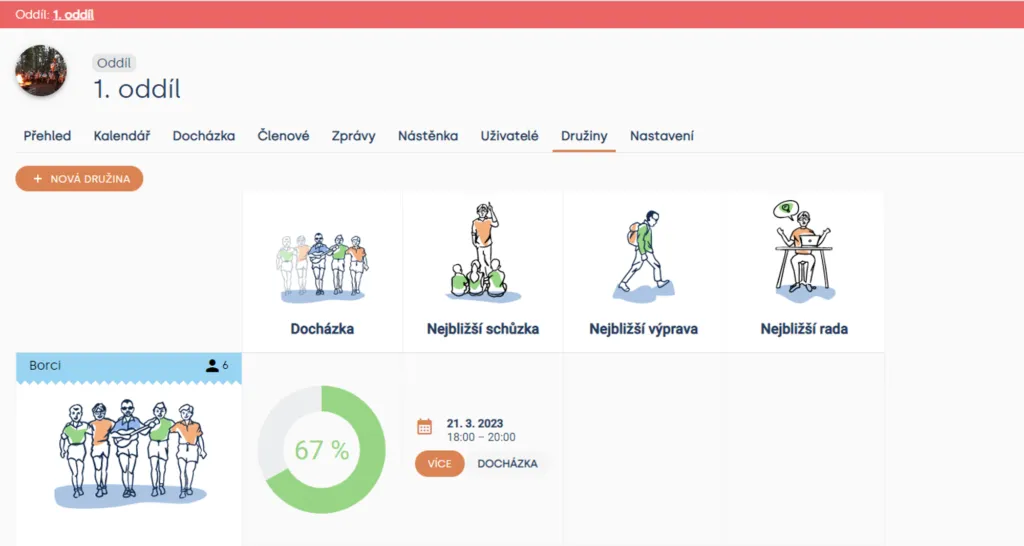
Unit > Patrols
Tip You can find more about attendance and how to record it in Attendance records
In addition to attendance, the overview also offers the option to display the nearest meeting/trip/council or plan another event directly. Plan a new event by clicking the “Schedule” button.
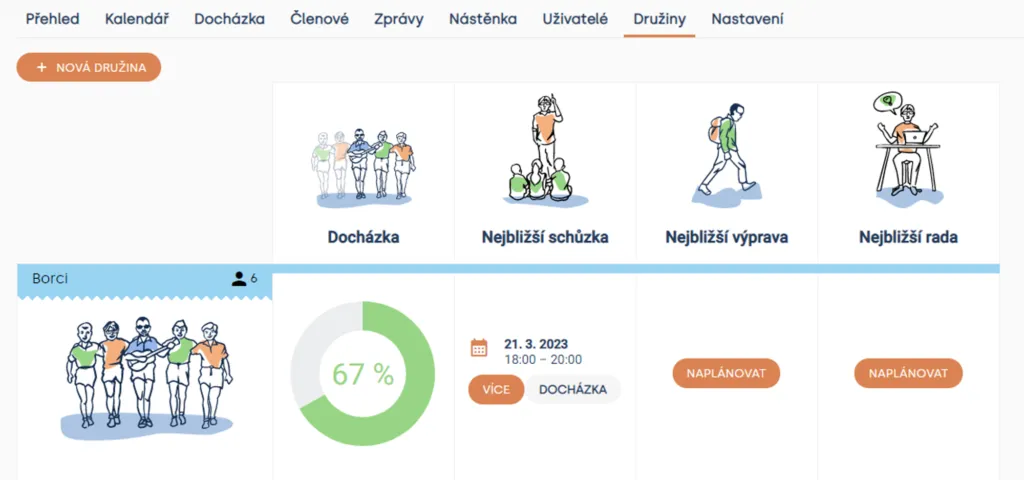
Unit > Patrols
Related articles
Patrol management
Creating a patrol
Create a new patrol in the Unit Patrols section by clicking the "New patrol" button.
Getting started
Getting started
Levitio is used by organizations, leaders, members, and parents. This guide walks you through creating an organization and the first steps.
For parents
Levitio for parents
Parent and member portal: events, payments, noticeboard, and children's details in one place. You enter the portal with a personal link, without registration or a password.
For parents
How a parent pays with Levitio Pay
If the unit / club uses Levitio Pay, the parent receives a payment request and completes the payment in the parent and member portal — without registration.
Payments
Levitio Pay: payments
Levitio Pay helps units and clubs collect payments from parents and members. The bank account is set in the specific unit.