Help overview/Organization and members
Attendance and program records for Junák Templates in Levitio
If you joined your unit in the Junák program "A year of programs with Beavers", "Let's strengthen rover mentoring", "Eco programs for unit and troop", or "Patrol calendar", you can also record attendance and programs in Levitio.
If you joined your unit in the Junák program “A year of programs with Beavers”, “Let’s strengthen rover mentoring”, “Eco programs for unit and troop”, or “Patrol calendar”, you can also record attendance and programs in Levitio. Here you will learn how.
In September 2025 an online meeting was held about using Templates in Levitio. The recording is still available here.
Member records
Members involved in the program need to be recorded in Levitio. The easiest way to add all new members is to import them from SkautIS. You can do this on the Unit -> Settings -> Synchronization -> SkautIS page. Learn more about import here: SkautIS synchronization.
Marking participating members
To create an export that includes all participating members but no one extra, mark participating members with a tag. On the Unit -> Members page, open the page of any participating member. In the Other section, add a tag according to the program name, e.g. “A year of programs with Beavers” (after typing the tag, press comma or enter). If your unit is involved in multiple programs, assign the correct tags to each member.
You can adjust the tag name if needed. However, it is important that all members involved in the program have it assigned.

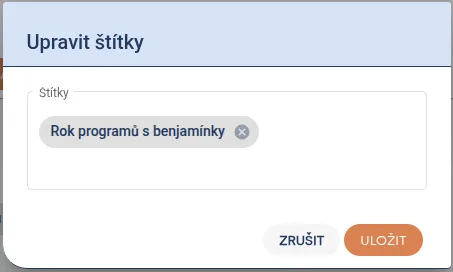
For other members, simply add the created tag using the + button.
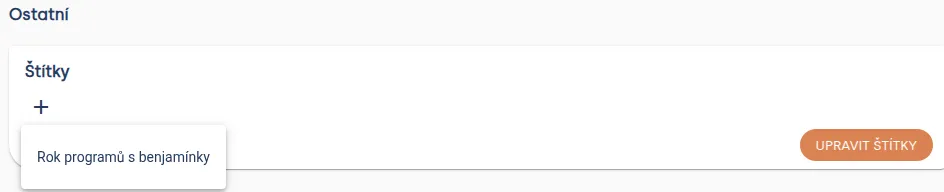
You can also add tags to members retroactively, e.g. before creating an export.
Changes in the unit during the year
If a new member joins during the year who will also join the program, simply add them to Levitio and add the corresponding tag.
If someone leaves, you can hide that member (Unit -> Members -> Three-dot menu next to member -> Move among former members). A hidden member won’t appear in the list when filling in attendance at events, but will appear in the export. Don’t delete this member until the end of the year.
Attendance records
During the year, you need to record attendance at events for members involved in the program. Attendance is filled in for individual events as you are probably used to.
You can fill in attendance either at the event itself on the Participants page or on the unit’s main page (this can be especially useful when filling in on mobile during a meeting).
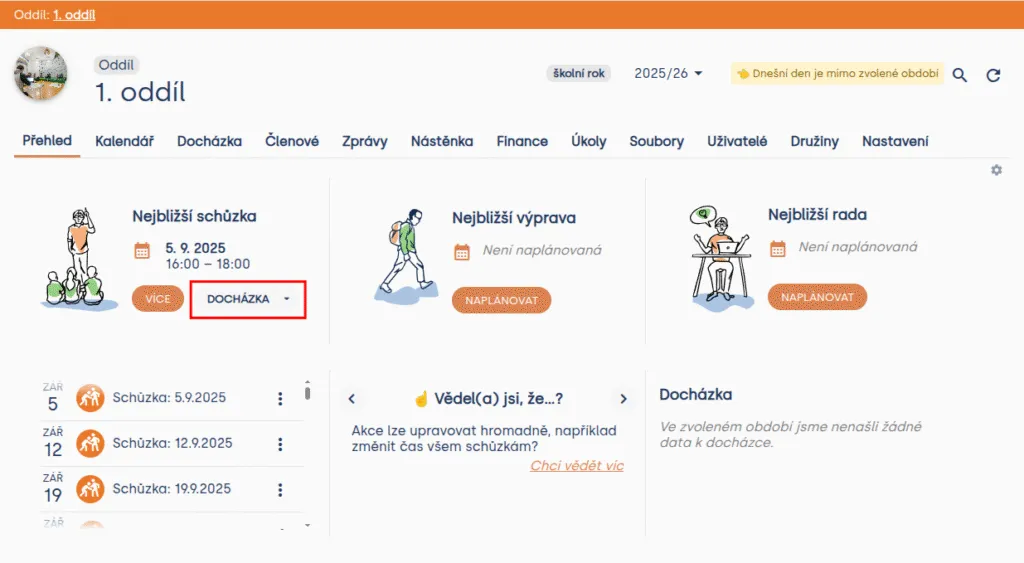
Tip: When you fill in the team for events and forget to fill in attendance, you automatically receive a notification. You can set the team for multiple events at once in bulk edits (Unit -> Calendar).
You can set when the notification is sent in Unit -> Settings -> Automation (default is two days). You adjust the notification format (notification, email) in user settings.
Program records
In addition to attendance, you also need to record the program. Fill in the program for individual meetings or trips on the Program page. Search for activities using the tag:
- Beavers -> Program sheets for Beavers
- Let’s strengthen rover mentoring -> Let’s strengthen rover mentoring
- Patrol calendar -> Trail with patrol calendar
- Eco programs for unit and troop -> Eco programs for unit and troop
When you find an activity you want to add, drag it into the program (on mobile, activities are added by clicking the Select button). Do not change the name of activities in the program or remove tags – this information must remain unchanged for export creation. You can adjust other information.
Note for the Let’s strengthen rover mentoring program: Activities in this program are targeted at unit councils; however, Levitio does not allow creating programs for unit councils, so you need to choose meeting or trip as the event type. For better clarity, you can create a Leadership patrol, have all leaders as members there, and keep leadership events in this patrol.
Tip: In the list of found activities, you can click the tag under an activity to display all activities with that tag.
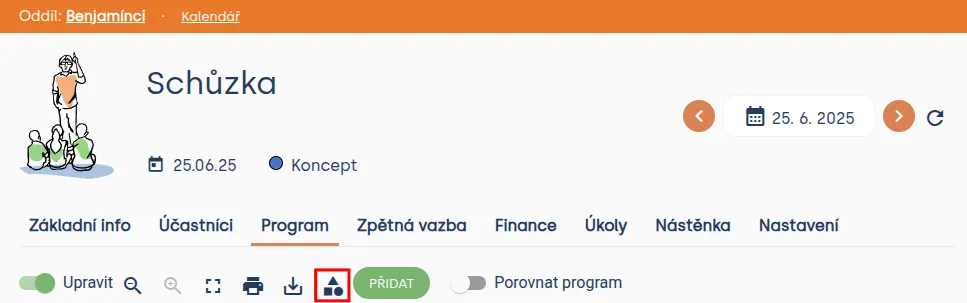
Tip: You can display things you’ll need for all programs by clicking the icon with a square, circle, and triangle.
Program and attendance export
Create a combined program and attendance export on the Unit -> Attendance page. First, filter participating members using tags at the top (learn about adding tags to members above in Marking participating members). You should have only one of the tags checked in the Member tags section depending on which program you’re creating the export for, e.g. only “A year of programs with Beavers”.

Create the export itself at the bottom of this page. After pressing the Export program button, a dialog opens. In the dialog, choose these options:
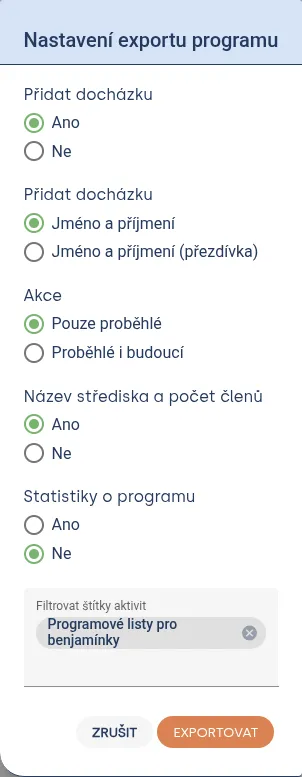
Filter activities according to the program your unit joined:
- Beavers -> Program sheets for Beavers
- Let’s strengthen rover mentoring -> Let’s strengthen rover mentoring
- Patrol calendar -> Trail with patrol calendar
- Eco programs for unit and troop -> Eco programs for unit and troop
Briefly check that the created export contains all events and members it should.
Send exported attendance after completing the educational program (Let’s strengthen rover mentoring, A year of programs with Beavers, and Trail with Patrol calendar) to email: sablony@skaut.cz. For Eco programs for unit and troop, communicate with enviro@skaut.cz.
Related articles
Organization and members
Organization
The organization is the top level of a Levitio account. You can handle many things in one place for the whole organization.
Organization and members
Structure
Levitio uses several levels so it can match how your organization is actually organized.
Organization and members
Member records
You can manage members in a specific unit / club and also in summary at the organization level.
Organization and members
Users and permissions
Users are people who sign in to the administrative part of Levitio. Parents and children are not administrative users.
Organization and members
Unit / club
A unit or club is the main working unit under the organization. You create a new unit from the organization overview.