Help overview/Communication
Levitio noticeboard
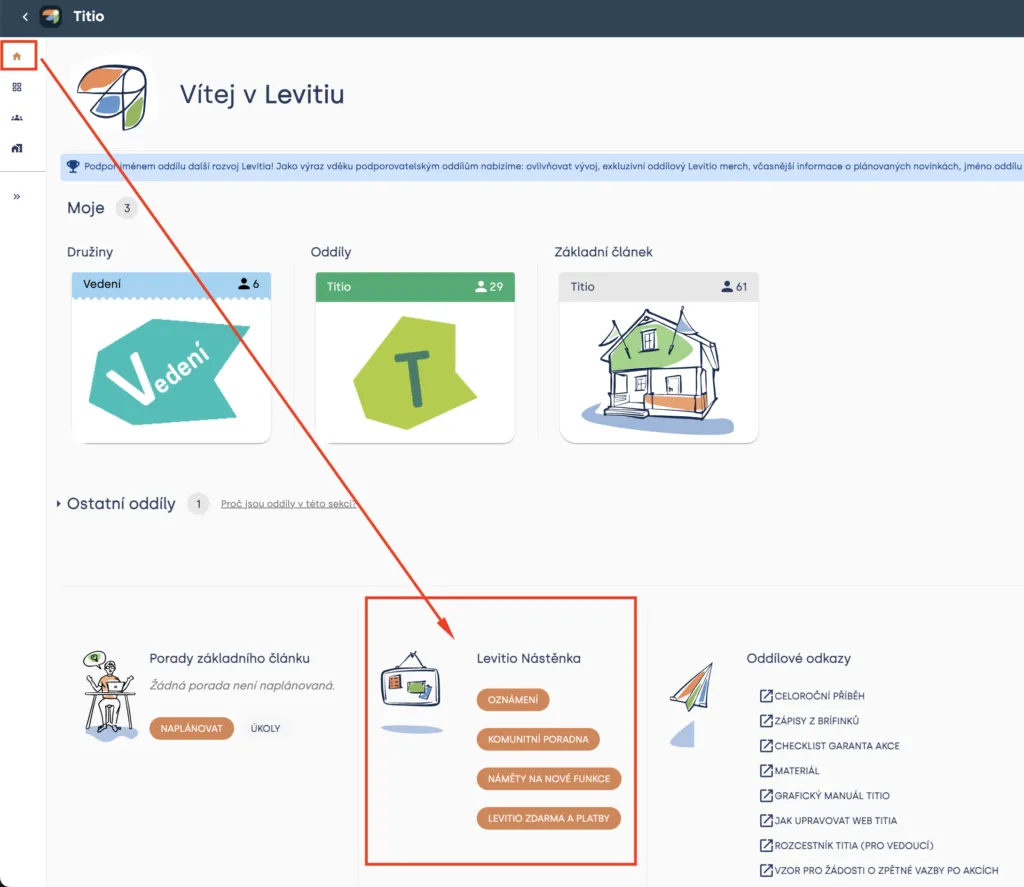
Shared community noticeboards for leaders from different organizations. You will find them on the Levitio home page.
Levitio also has shared community noticeboards for leaders from different organizations. You can ask about using Levitio, share experience, or suggest new features.
You will find the noticeboards on the Levitio home page. Just click through, see the screenshot:
Types of Levitio noticeboards
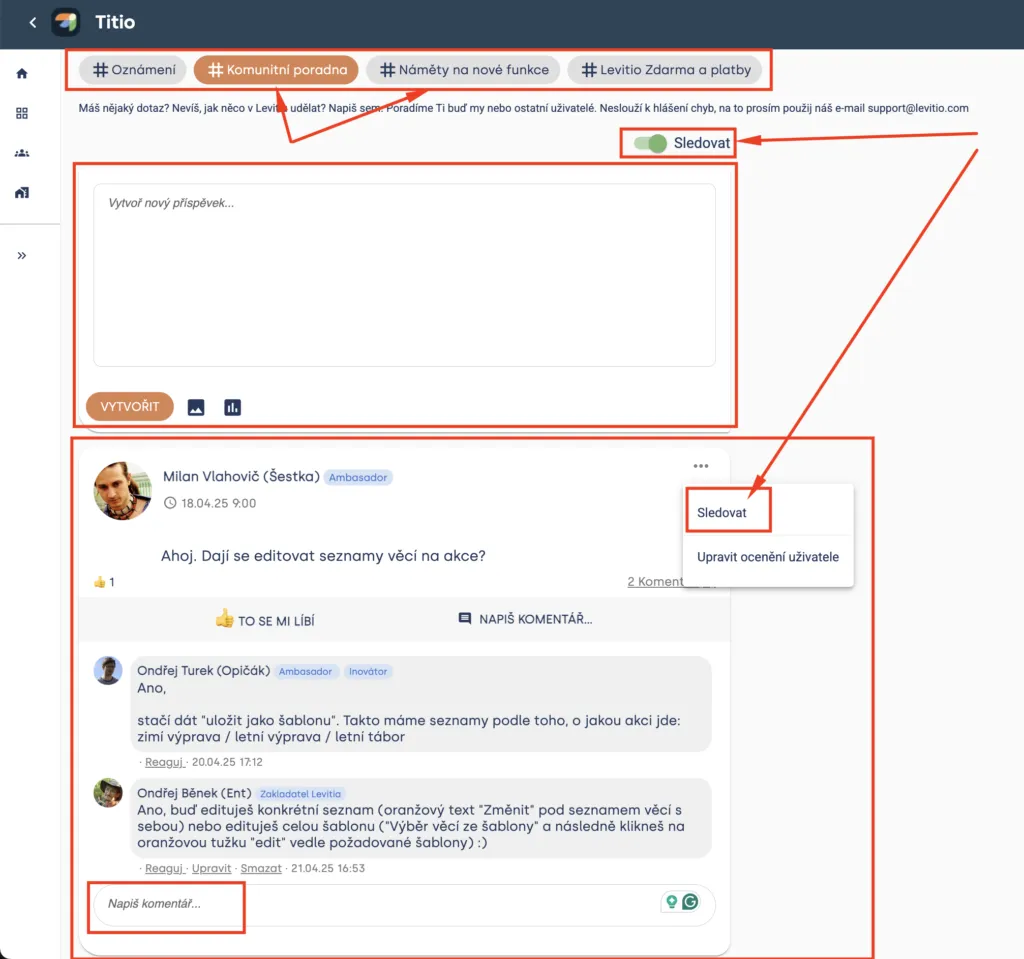
Levitio currently offers these noticeboards:
- Announcements – important notices from the Levitio team
- Community help desk – Have a question? Don’t know how to do something in Levitio? Write here. We or other users will help you. Get inspired by how other units use Levitio.
- Feature suggestions – Add suggestions for new features in Levitio to this noticeboard.
- Levitio free and payments – Questions, suggestions, and feedback about Levitio Pay
Heads up! Noticeboards are not for reporting bugs. For that, please use our email podpora@levitio.com.
In the noticeboards, you can add new posts (for example ask the community how they use Levitio, or suggest new features). You can comment on other people’s posts and react to them using emoji. This is especially useful for new features: The more reactions a post has, the more the Levitio team will consider adding the new feature.
You can start following each noticeboard (if someone adds a post, you will receive a notification). You can also follow specific posts — for example when something you are interested in is being discussed.
Related articles
Communication
Sending messages to members and parents
You can use Messages in a specific unit / club and also at the whole organization level.
Communication
Noticeboard
An internal noticeboard of a specific unit, event, or patrol. For community noticeboards of all Levitio users, see the Levitio noticeboard article.
Communication
Trip feedback
After a supported event has taken place, you can ask parents or participants for feedback from the event detail.
Getting started
Getting started
Levitio is used by organizations, leaders, members, and parents. This guide walks you through creating an organization and the first steps.
For parents
Levitio for parents
Parent and member portal: events, payments, noticeboard, and children's details in one place. You enter the portal with a personal link, without registration or a password.