
Help overview/Payments
Adding a bank account
To accept payments through Levitio Pay in a specific unit / club, you must first add and have a bank account approved.
To accept payments through Levitio Pay in a specific unit / club, you must first add and have a bank account approved.
A bank account is set at the unit / club level, not at the organization level.
Go to:
Unit / club > Settings > Finance > Add account
For each payment (for a trip or registration) you will later be able to choose which account you want the payment to go to (for example one account for registration and another for events).
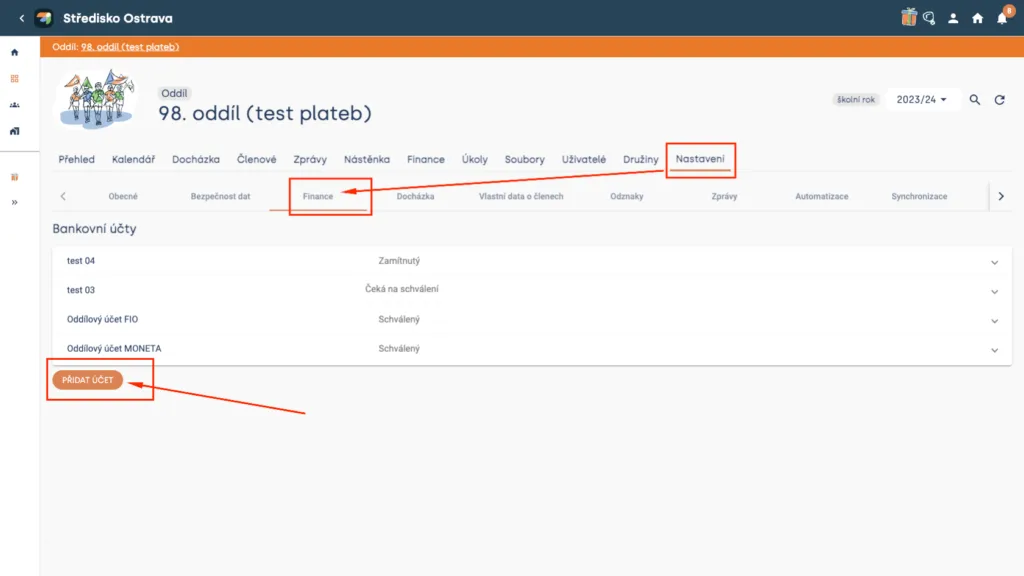
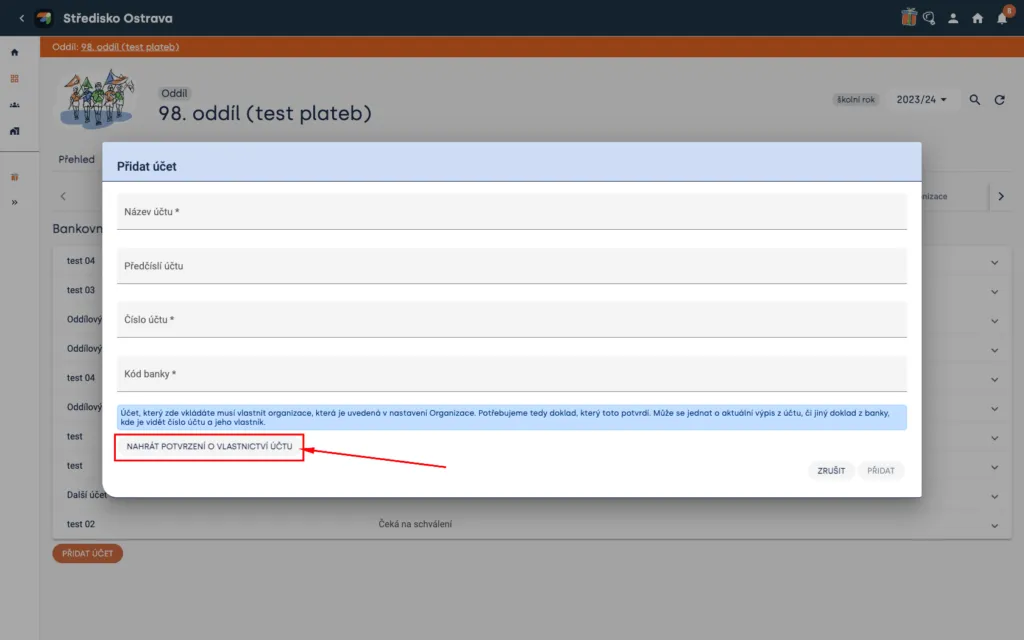
In the Finance overview you will see all your accounts (you can change the name) and their status (Rejected / Pending approval / Approved). To add a new account, click “Add account”, fill in the required fields, and attach proof of account ownership (for example a bank statement or confirmation of account maintenance showing the account number and its owner — the organization). You can easily download account confirmation electronically from almost all banks in online banking.
Heads up! Levitio only allows sending payments to accounts that belong to the organization registered in Levitio. The attached bank confirmation must match the organization details you have stored in organization settings.
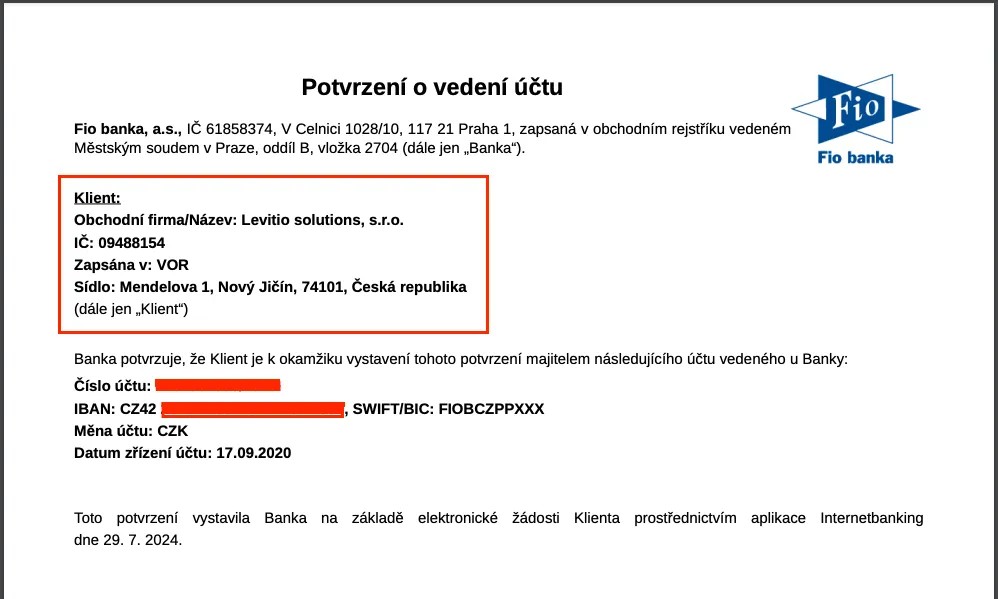
Sample confirmation
Related articles
Payments
Levitio Pay: payments
Levitio Pay helps units and clubs collect payments from parents and members. The bank account is set in the specific unit.
Payments
Payments FAQ
Levitio always shows you the fee transparently in advance. Donations use the same 5% / 3% rate as other Levitio Pay payments.
Payments
Donation campaigns / Crowdfunding
Levitio lets you collect donations and thereby increase the unit's funds. Donations use the same 3–5% Levitio Pay fee.
Getting started
Getting started
Levitio is used by organizations, leaders, members, and parents. This guide walks you through creating an organization and the first steps.
For parents
Levitio for parents
Parent and member portal: events, payments, noticeboard, and children's details in one place. You enter the portal with a personal link, without registration or a password.